In this guide:
- Why Standards Have Changed in 2026
- Project Structure
- Input Validation
- Error Handling
- API Security
- Async/Await Best Practices
- Logging & Monitoring
- Environment Configuration
- API Versioning
- Graceful Shutdown
- Testing
If you’re searching for Node.js API best practices 2026, you’re in the right place. After years of building and shipping production APIs for startups and scaling SaaS platforms, I’ve learned the hard way what separates code that works from code that’s truly production-ready. In this guide, I’ll walk you through the practices that have made the biggest real-world impact — no filler, no fluff.
This isn’t a rehash of the same tired advice you’ve already read. These Node.js API best practices 2026 are what actually matter when the stakes are high and your API is live.
Let’s explore the Node.js API best practices 2026 that are actually worth your time.
Node.js API Best Practices 2026: Why the Standards Have Changed
Node.js has grown up. The ecosystem in 2026 looks significantly different from even three years ago — native ESM support is mainstream, edge deployments are common, and AI-driven traffic patterns mean your APIs need to handle unpredictable bursts better than ever.
According to freelance developer Usman Nadeem, “The biggest shift I’ve seen is that developers can no longer treat security and performance as an afterthought. With AI workloads and third-party integrations hitting APIs at scale, a poorly structured endpoint can cascade into a full-scale outage within minutes.”
The good news? Getting it right isn’t as complex as it sounds — if you follow a clear, opinionated structure from the start.
1. Structure Your Project Like You Mean It
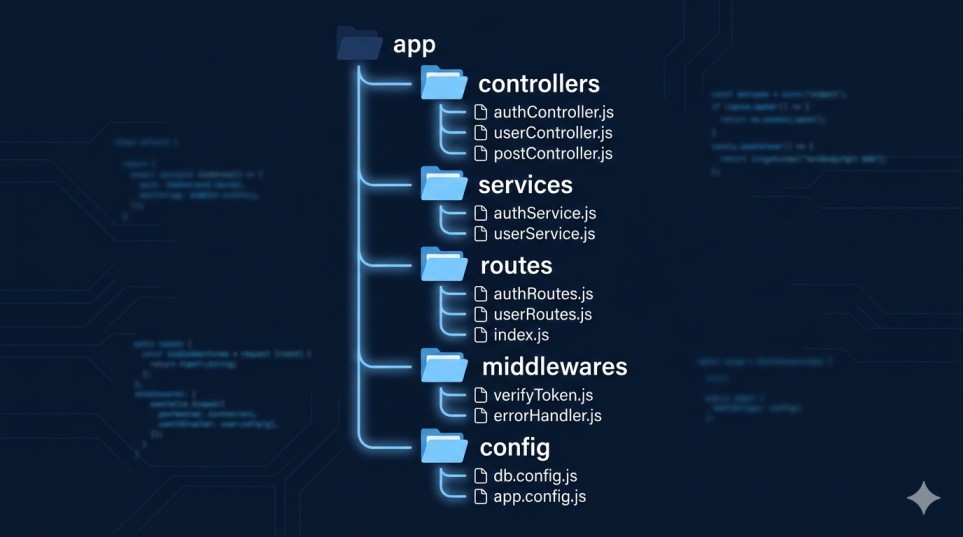
The first thing I audit when I take on a new client project is the folder structure — because clean architecture is the foundation of every Node.js API best practices 2026 checklist worth following. A flat index.js with everything crammed in is a red flag. Here’s the RESTful API design pattern I consistently recommend and use:
src/
├── config/          # env vars, DB config, constants
├── controllers/     # request/response handling only
├── services/        # business logic
├── repositories/    # DB queries / data access layer
├── routes/          # Express route definitions
├── middlewares/     # auth, validation, error handling
├── utils/           # helpers, formatters
└── app.js           # Express setup (no business logic here)
Why does this matter? Because clean separation of concerns means your codebase scales with your team. Controllers don’t talk to the database directly. Services don’t know what HTTP is. Each layer has one job.
Pro tip: Keep your
app.jspurely for Express configuration — middleware registration, route mounting, and error handler attachment. Server startup (thelisten()call) belongs in a separateserver.js. This separation makes testing dramatically easier.
2. Never Skip Input Validation — Ever
I once inherited a Node.js API from a previous developer where raw req.body values were being used directly in SQL queries. No sanitization. No validation. It was a ticking time bomb.
In 2026, there’s no excuse for skipping validation. Use a library like Zod or Joi at the route entry point, before your controller ever sees the data. Zod official documentation
// Using Zod for request validation
import { z } from 'zod';

const createUserSchema = z.object({
  email: z.string().email(),
  name: z.string().min(2).max(100),
  role: z.enum(['admin', 'user', 'guest'])
});

export const validateCreateUser = (req, res, next) => {
  const result = createUserSchema.safeParse(req.body);
  if (!result.success) {
    return res.status(400).json({ errors: result.error.flatten() });
  }
  req.validatedBody = result.data;
  next();
};
Validation middleware like this is reusable, testable, and keeps your controllers clean. Win-win-win.
3. Implement Centralized Error Handling
One of the most common mistakes I see when learning how to structure a Node.js API for production is scattered error handling — try/catch blocks everywhere, inconsistent error response shapes, and no global fallback.
Here’s a better approach: a single centralized error handler registered at the bottom of your Express app.
// middlewares/errorHandler.js
export const errorHandler = (err, req, res, next) => {
  const statusCode = err.statusCode || 500;
  const isProduction = process.env.NODE_ENV === 'production';

  res.status(statusCode).json({
    success: false,
    message: err.message || 'Internal Server Error',
    ...(isProduction ? {} : { stack: err.stack })
  });
};
Pair this with custom error classes:
export class AppError extends Error {
  constructor(message, statusCode) {
    super(message);
    this.statusCode = statusCode;
    Error.captureStackTrace(this, this.constructor);
  }
}

// Usage in a service
throw new AppError('User not found', 404);
This gives you consistent JSON error responses and a single place to plug in logging or alerting.
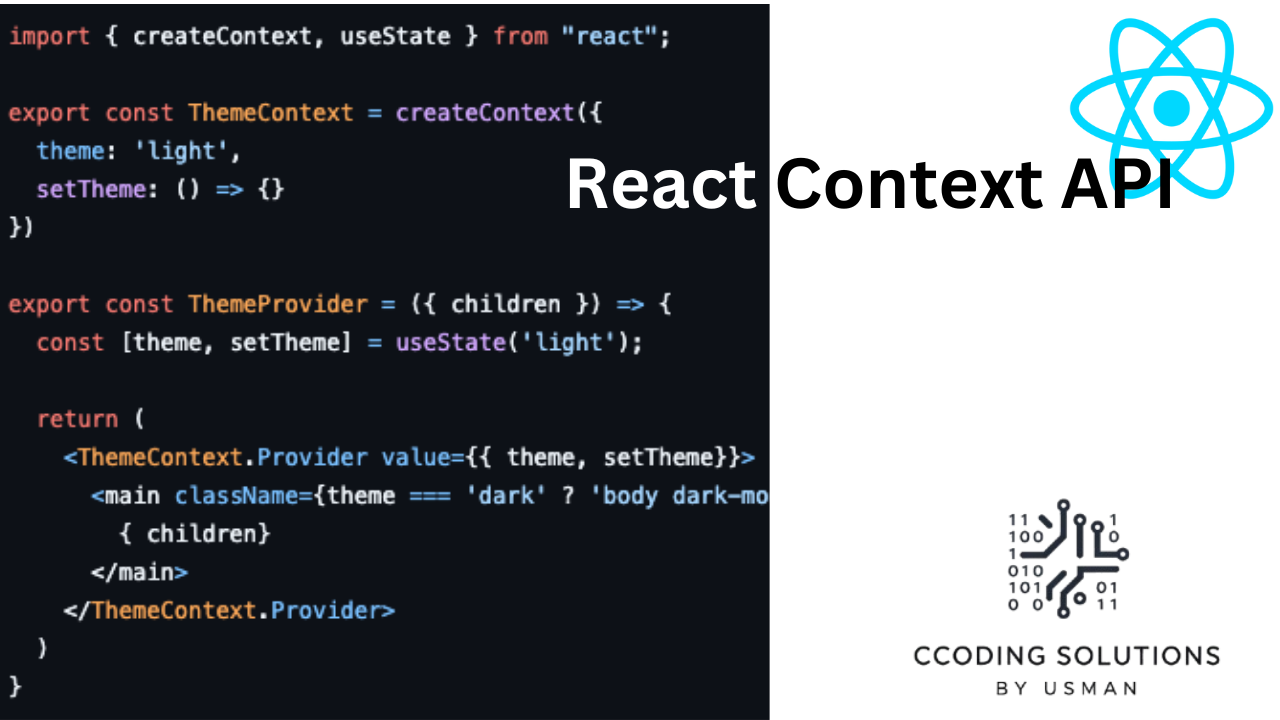
If you’re also working on the frontend, check out my guide on React Context for state management.
4. Secure Your API — Non-Negotiable
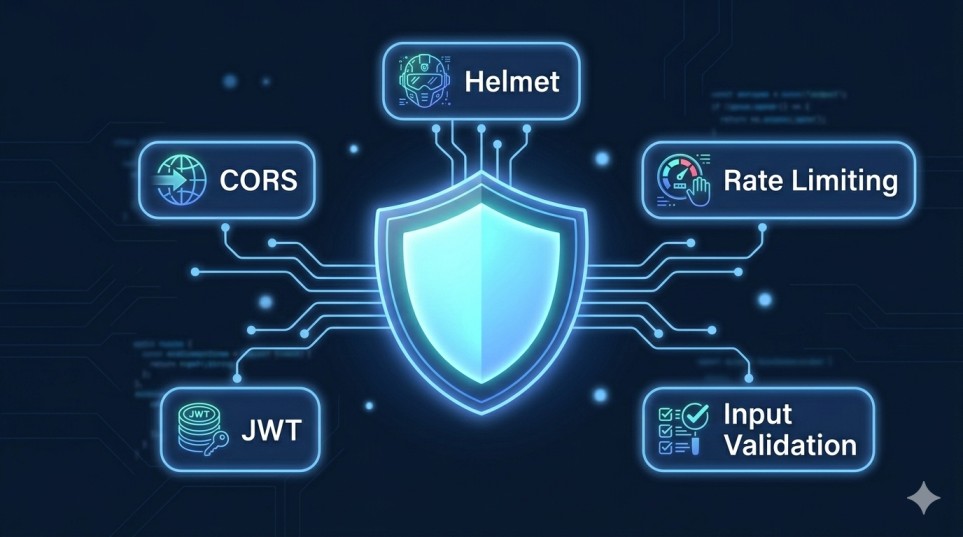
Security isn’t optional in production. One of the core Node.js API best practices 2026 developers overlook is layered security from day one. These are the layers I apply to every API I deploy:
| Security Layer | Tool / Approach | Why It Matters |
|---|---|---|
| HTTP headers | helmet | Prevents XSS, clickjacking, MIME sniffing |
| Rate limiting | express-rate-limit | Stops brute force & DDoS |
| CORS | cors with whitelist | Controls cross-origin access |
| Auth tokens | JWT with short expiry + refresh tokens | Limits exposure if token leaks |
| SQL / NoSQL injection | Input validation (Zod/Joi) | Never trust raw input |
| Secrets management | Environment variables via .env + Vault | Never hardcode credentials |
| Dependency scanning | npm audit in CI/CD | Catches known CVEs |
For a deeper dive, the official Express.js security best practices guide is worth bookmarking.
A quick example of how I configure helmet and rate limiting together:
import helmet from 'helmet';
import rateLimit from 'express-rate-limit';

app.use(helmet());

const limiter = rateLimit({
  windowMs: 15 * 60 * 1000, // 15 minutes
  max: 100, // limit each IP to 100 requests per window
  message: { error: 'Too many requests, please try again later.' }
});

app.use('/api/', limiter);
5. Use Async/Await Correctly (and Handle Rejections)
Unhandled promise rejections will crash your Node.js process. I’ve seen production servers go down because a developer forgot to catch an async error. This is especially dangerous in loops.
Here’s a wrapper I use across projects to keep controllers clean:
// utils/asyncHandler.js
export const asyncHandler = (fn) => (req, res, next) =>
  Promise.resolve(fn(req, res, next)).catch(next);

// In your route
router.get('/users/:id', asyncHandler(async (req, res) => {
  const user = await userService.findById(req.params.id);
  if (!user) throw new AppError('User not found', 404);
  res.json({ success: true, data: user });
}));
Clean, readable, and rejection-safe. Every uncaught error flows to your centralized error handler automatically.
6. Design for Observability: Logging and Monitoring
You can’t fix what you can’t see. In production, I always set up structured logging from day one. My go-to in 2026 is Pino logger documentation — it’s fast, outputs JSON, and integrates well with log aggregation platforms like Datadog or AWS CloudWatch.
import pino from 'pino';

export const logger = pino({
  level: process.env.LOG_LEVEL || 'info',
  transport: process.env.NODE_ENV !== 'production'
    ? { target: 'pino-pretty' }
    : undefined
});

// Usage
logger.info({ userId: user.id, action: 'login' }, 'User logged in');
logger.error({ err }, 'Database connection failed');
Beyond logging, I also recommend:
- Health check endpoint (
GET /health) — returns DB connectivity, uptime, and version. Essential for load balancers and container orchestration. - APM tools like New Relic or Datadog APM to trace slow queries and bottlenecks.
- Alerting on error rate spikes and p99 latency in your dashboard.
7. Environment Configuration the Right Way
Hardcoded secrets are a beginner mistake that I still see in code reviews more often than I’d like. In 2026, there’s no reason your database password should be sitting in your source code.
The pattern I follow on every project:
// config/env.js
import { z } from 'zod';
import 'dotenv/config';

const envSchema = z.object({
  NODE_ENV: z.enum(['development', 'test', 'production']),
  PORT: z.coerce.number().default(3000),
  DATABASE_URL: z.string().url(),
  JWT_SECRET: z.string().min(32),
});

export const env = envSchema.parse(process.env);
This validates your environment variables at startup — if something critical is missing, your app refuses to start rather than failing silently in production. That’s the behavior you want.
8. API Versioning — Plan for Change
One of the biggest favors you can do for future-you is versioning your API from day one. RESTful API design patterns strongly suggest this, and I’ve seen firsthand how painful unversioned APIs become when clients are using them in production.
// routes/index.js
import v1Routes from './v1/index.js';
import v2Routes from './v2/index.js';

app.use('/api/v1', v1Routes);
app.use('/api/v2', v2Routes);
This lets you introduce breaking changes in v2 without affecting v1 consumers. Simple, effective, and your future clients will thank you.
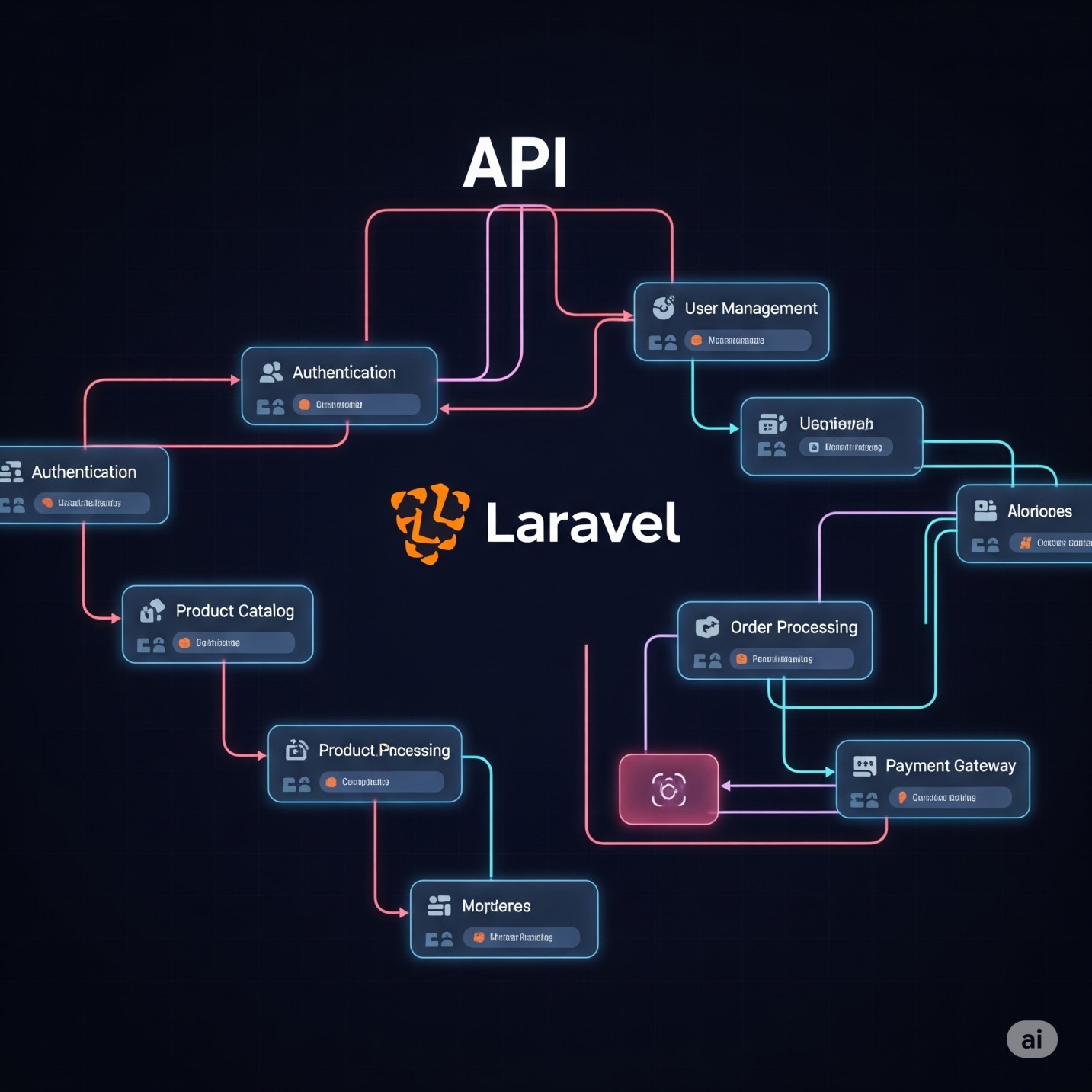
If you’re coming from a PHP background, my Getting Started with Laravel REST API guide covers similar patterns.
9. Graceful Shutdown — Don’t Leave Connections Hanging
Graceful shutdown is one of the most underrated Node.js API best practices 2026 developers skip. When your container restarts, you don’t want in-flight requests cut off or database connections left dangling. Graceful shutdown handles this.
const server = app.listen(env.PORT, () => {
  logger.info(`Server running on port ${env.PORT}`);
});

const shutdown = async (signal) => {
  logger.info(`Received ${signal}, shutting down gracefully...`);
  server.close(async () => {
    await db.disconnect();
    logger.info('Server and DB connections closed.');
    process.exit(0);
  });
};

process.on('SIGTERM', () => shutdown('SIGTERM'));
process.on('SIGINT', () => shutdown('SIGINT'));
This is a small addition that makes a big difference in production uptime — especially in containerized environments like Kubernetes or Docker Swarm.
10. Write Tests — At Least the Happy and Sad Paths
I know, I know — testing is one of those things developers always say they’ll do later. But in production APIs, even a basic test suite around your most critical endpoints will save you from embarrassing regressions.
My minimal testing stack recommendation for Node.js APIs in 2026: Vitest (or Jest) for unit/integration tests and Supertest for HTTP endpoint testing.
// tests/users.test.js
import request from 'supertest';
import app from '../src/app.js';

describe('GET /api/v1/users/:id', () => {
  it('returns a user when ID exists', async () => {
    const res = await request(app).get('/api/v1/users/123');
    expect(res.status).toBe(200);
    expect(res.body.data).toHaveProperty('email');
  });

  it('returns 404 when user does not exist', async () => {
    const res = await request(app).get('/api/v1/users/nonexistent');
    expect(res.status).toBe(404);
  });
});
Cover the happy path, cover the error path. That alone will catch the majority of regressions.
Quick Reference: Production Readiness Checklist
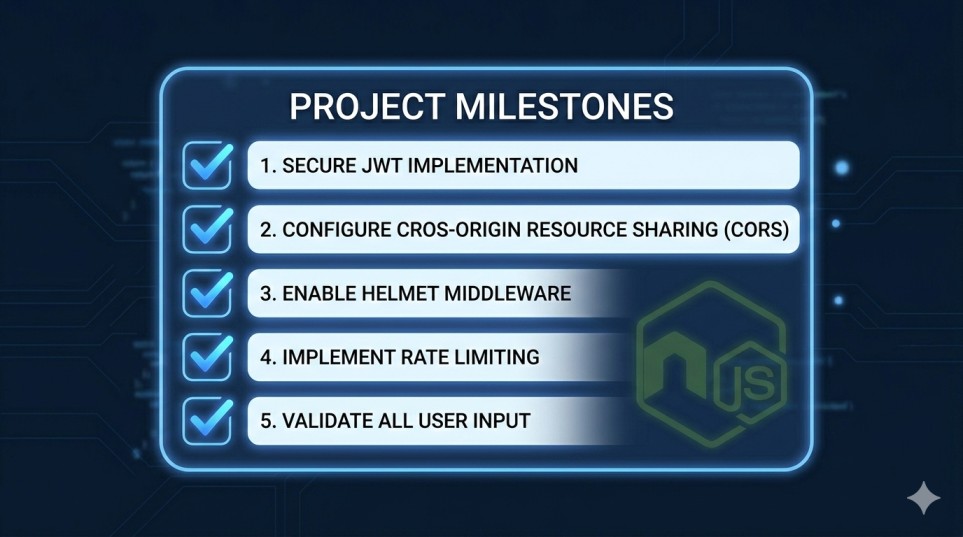
Before you ship, use this checklist based on Node.js API best practices 2026 to make sure nothing critical is missed:
- Project has a layered structure (controllers / services / repositories)
- All incoming data is validated with Zod or Joi
- Centralized error handling middleware is in place
helmetandexpress-rate-limitare configured- No secrets in source code — all loaded from environment variables
- Structured logging with Pino or Winston
- Health check endpoint exists (
/health) - API is versioned (
/api/v1/...) - Graceful shutdown is implemented
- At least happy path + error path tests exist for core endpoints
npm auditpasses with no critical vulnerabilities
Conclusion
Following Node.js API best practices 2026 isn’t about being clever — it’s about being disciplined and consistent. The patterns above aren’t new inventions; they’re battle-tested conventions that make your code maintainable, secure, and observable under real-world conditions.
I’m Usman Nadeem, a freelance full-stack developer who has been building and shipping Node.js APIs for clients across multiple industries. If there’s one thing I’ve learned, it’s that the developers who invest in structure and hygiene early spend far less time firefighting later. The best time to implement these practices was at the beginning of your project. The second best time to apply these Node.js API best practices 2026 is right now.
If you’re working on a Node.js backend project and need an experienced hand — whether it’s a code audit, architecture review, or full build — feel free to reach out. I’d love to help.
FAQ
Q1: What’s the best way to structure a Node.js API for production?
Use a layered architecture that separates concerns: routes → controllers → services → repositories. Each layer should have a single responsibility. This structure scales with your team and makes testing much easier — and it’s the foundation of all Node.js API best practices 2026 recommends for production-grade codebases.
Q2: Should I use TypeScript for production Node.js APIs?
Yes, in most cases — and this applies across all Node.js API best practices 2026 recommends for production projects. TypeScript adds compile-time safety that catches bugs early, improves IDE support, and makes refactoring safer. In 2026, the Node.js ecosystem’s TypeScript support is excellent — there’s little reason not to use it for production projects.
Q3: How do I handle authentication in a Node.js REST API?
JWT (JSON Web Tokens) is the most common approach. Use short-lived access tokens (15–60 minutes) paired with longer-lived refresh tokens. Always store refresh tokens securely (httpOnly cookies, never localStorage) and implement token rotation on refresh.
Q4: What’s the difference between a controller and a service in Node.js?
A controller handles the HTTP layer — parsing request data and formatting the response. A service contains your business logic and has no knowledge of HTTP. This separation means your business logic can be tested independently and reused across different contexts (REST, WebSocket, CLI, etc.).
Q5: How do I prevent my Node.js API from going down in production?
Use a combination of: graceful shutdown handling, a process manager like PM2 or containerization with Docker/Kubernetes, centralized logging with error alerting, and health check endpoints that your load balancer can monitor. These together give you the visibility and resilience that Node.js API best practices 2026 consistently emphasizes.
Looking to build a production-ready Node.js API for your next project? I’m Usman Nadeem, a freelance full-stack developer specializing in scalable backend systems, RESTful API architecture, and modern JavaScript ecosystems. Whether you need a full API built from scratch, a security and performance audit of your existing codebase, or an experienced developer to join your team on a contract basis — I’ve got you covered. I’ve helped startups and growing businesses implement Node.js API best practices 2026 and ship clean, maintainable APIs that stand up to real-world traffic. Check out my portfolio to see what I’ve built, or head over to the contact page and let’s talk about your project. I’d love to help you ship something great.